Classroomscreen
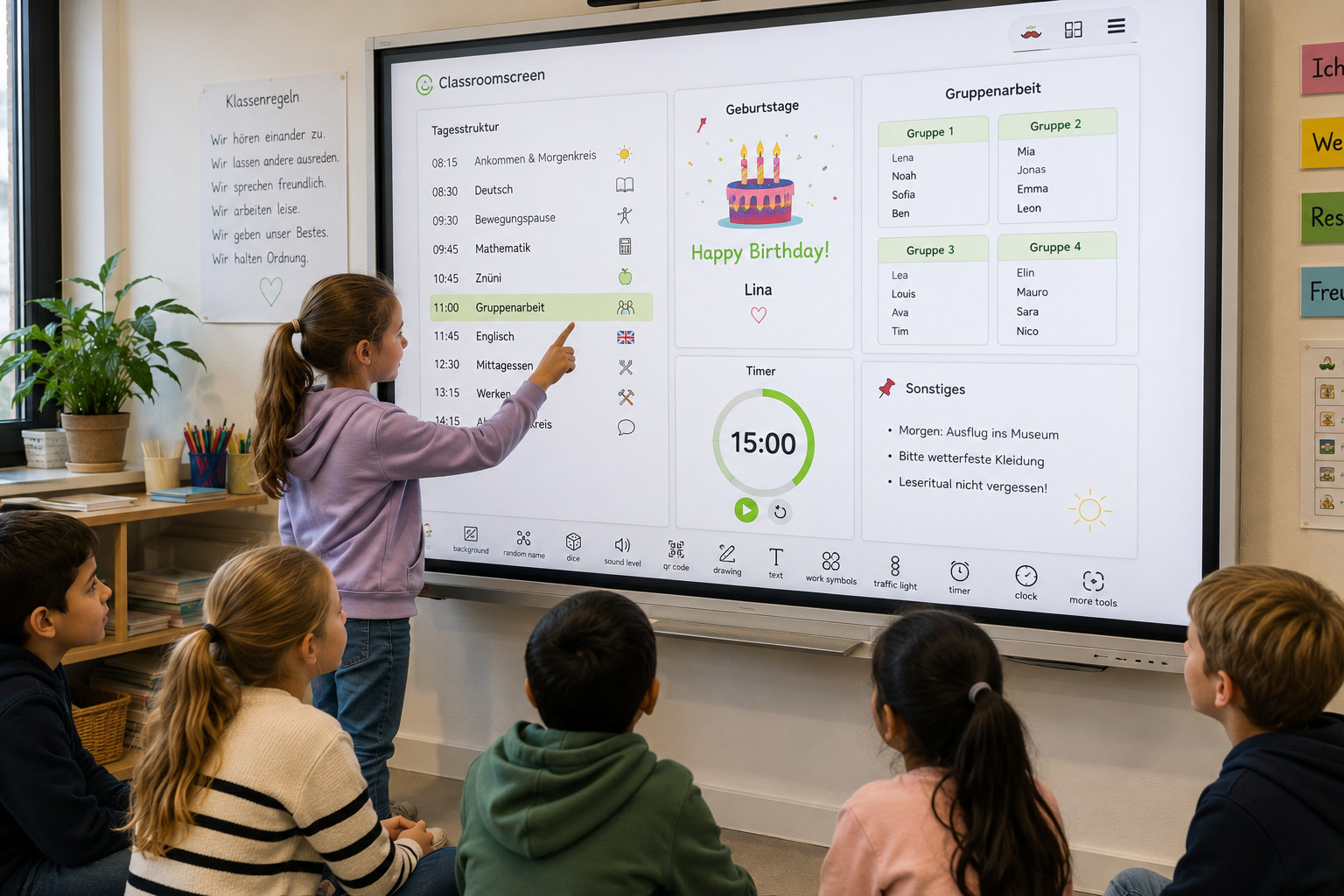
Children need orientation - not only in terms of content but also time and structure. Classroomscreen makes the daily schedule, task instructions, and timer visible at once, creating transparency even before the lesson begins.
Key infromation
Subject/ subject area: cross curricular, media and computer science module (MI). organization / classroom management
School level(s): cycle 1 and 2
Focus: Distraction, Memory
Implementation
At the beginning of each lesson, Classroomscreen is projected on the screen. Children can immediately see what to expect: the daily schedule with its phases, the current task, and a running timer showing how much time remains. This way, everyone knows what to do without the teacher having to explain it.
The daily plan shows not only the lesson phases but the entire day’s structure: which subjects are coming up, when the next movement break will take place, who has a birthday, or whether a special event is planned. At the start of the school year, students practice checking the screen first thing in the morning – it becomes a routine.
Concrete use cases:
- Each morning, a silent task awaits the children on the screen, which they complete independently before class begins. For example: “Today is reading ritual – read silently for 10 minutes” or “Write down your weekly goal and place it on your desk.”
- The daily plan shows when the next movement break will occur, helping restless children stay focused.
- Birthdays and special events are displayed, giving the day a shared structure.
- The timer runs visibly for everyone, allowing children to manage their time and anticipate transitions
- Group assignments are displayed directly on the screen, speeding up the start of group work.
- Before recess, the next step is already visible, so children know what to continue with afterward.
Free and paid versions:
In the free version, one screen can be created per day. The paid version is convenient because it allows creating separate screens for each weekday or subject and running them like a presentation during lessons. It’s worth checking with the school’s ICT coordinator or digital learning lead to see if a school license is available or could be obtained.
Additional useful features:
Classroomscreen also offers handy tools such as the group maker. Students’ names are entered once, for example with a number per child, and can then be used anytime. In situations where groups need to be formed quickly, it’s an easy solution – for example, when children want to play a team game during recess and need two teams in seconds.
The tool is free, browser-based, and requires no login, making it very easy to use.
Material
Classroomscreen: classroomscreen.com (free, based on browser)
References
After: Selin Güler, primary school teacher and translationmanager at BeLEARN
Source: Helmke, A. (2022). Unterrichtsqualität und Lehrerprofessionalität. Klett-Kallmeyer. (insb. Kapitel Klassenführung und Strukturklarheit)